
1. Your teams rely on spreadsheets and workarounds
Spreadsheets often appear when legal practice management software cannot support a firm’s processes or provide the information people need.
Individual workarounds may seem harmless, but they can lead to duplicated data, inconsistent processes and limited oversight.
Look for:
- Separate spreadsheets for WIP, billing, profitability or matter tracking
- Information being copied between systems
- Teams maintaining their own unofficial records
- Reports being manually compiled each month

2. Reporting takes too long
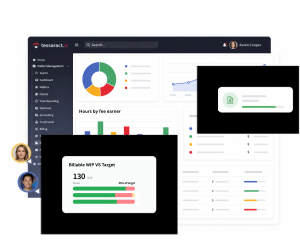
Senior leaders should be able to access reliable information about financial and operational performance without waiting for someone to extract and manipulate the data.
Your existing legal practice management software may no longer be suitable if management reports require significant manual work or regularly produce conflicting figures.
Look for:
- Reports taking days to prepare
- Different teams presenting different versions of the same metric
- Limited visibility of WIP, lockup and matter profitability
- Leaders making decisions using historical information
- Reports that cannot be adapted without technical support
3. Your systems do not work together
Growing firms frequently add new tools for document management, payments, CRM, identity checks and other specialist tasks. If these systems do not integrate with your practice management software easily, staff may have to re-enter information or switch repeatedly between platforms.
Look for:
- Duplicate data entry
- Multiple versions of client and matter information
- Manual transfers between finance and operational systems
- Integrations that are unreliable, slow or expensive
- Important data remaining trapped within individual applications

5. Billing and financial management are becoming harder
Processes that worked for a smaller firm may become inefficient as matter volumes, teams, clients and billing requirements increase.
Look for:
- Delayed billing cycles
- High or increasing WIP
- Difficulty tracking matter budgets
- Limited visibility of write-offs and realisation
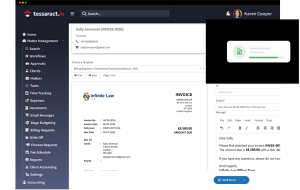
- Manual invoice approval processes
- Challenges managing client money
- Limited insight into performance by matter, department or fee earner
These problems can contribute to higher lockup and make it harder to understand the firm’s true profitability.
6. The software cannot support the structure of your firm
Your firm may now operate across more offices, departments, entities, jurisdictions or currencies than the system was originally designed to manage.
Ask whether your software can support:
- Multiple offices and legal entities
- Different teams and practice areas
- Role-based permissions
- Complex billing arrangements
- Multi-currency transactions
- Remote and mobile working
- Consistent processes across the firm
If expansion requires a growing collection of separate systems and manual controls, the underlying platform may no longer be suitable.

7. Users are frustrated with the system
Poor user experience affects more than staff satisfaction. It can lead to incomplete data, inconsistent time recording and low adoption of firm-wide processes.
Warning signs include:
- New starters require extensive training
- Fee earners avoid using parts of the system
- Staff regularly complain about slow or complicated processes
- Important information is recorded late or not at all
- Teams complete work outside the system whenever possible

9. The system is influencing business decisions for the wrong reasons
The clearest sign that you have outgrown your software is when its limitations begin to determine what the firm can do.
This might include rejecting a new billing model, delaying an acquisition, avoiding process improvements or postponing the introduction of new technology because the existing system cannot support it.
Technology should enable the firm’s strategy, not constrain it.
Practice management software assessment checklist
Score each statement in the boxes below from 1 to 5, where 1 means strongly disagree and 5 means strongly agree.
Interpreting your score
- 41–50: Your current software is broadly supporting the firm.
- 31–40: Some limitations require further investigation.
- 21–30: The system is likely creating operational inefficiency.
- 10–20: Your firm should consider reviewing its legal practice management software.

We have one reliable source of client and matter information

Leaders can access real-time financial and operational reporting

Our core systems integrate effectively

Routine processes are automated where appropriate

Billing and financial controls scale with the firm

The system supports our offices, entities and departments

Fee earners and business services teams use the system consistently

We can configure workflows and reports without extensive development

We can access and use our data easily

The software supports our plans for growth
FAQs
Legal tech insights from the Tessaract team

Why data driven fee earners are a competitive advantage for law firms
Law firms have never had more data. The challenge is making sure the right people can access the right information at the right time. Our Mind the Delivery Gap research, produced in partnership with LPM, found that 79% of firms believe their management information supports decision making effectively, and 80% say leadership has sufficient visibility into firm performance. However, there is a significant disconnect. Only 14% of respondents said the information they need is always available, and 29% believe providing better insight to fee earners should be an essential investment priority.


When systems don't connect, your IT team becomes the integration layer
They appear as a report that needs to be manually reconciled before it can be trusted. A user raises another support ticket because two systems show different information. A spreadsheet quietly becomes essential to a core process. A member of the IT team is asked to extract, reformat and move data between applications because there is no reliable way for it to flow automatically.

Measuring matter profitability remains a challenge for law firms
Every pricing decision, hiring decision and growth plan depends on understanding one thing: which matters actually make money. Yet our Mind the Delivery Gap research, produced in partnership with LPM, found that only 18% of firms are completely confident in their ability to assess matter profitability. A further 38% say their view is inconsistent or inaccurate, while 67% of leaders report that users experience frustrations with their core systems.

Can your law firm grow without adding more operational pressure?
Growth is firmly on the agenda for mid-size UK law firms. According to Mind the Delivery Gap, our research completed in partnership with LPM. 44% expect moderate organic growth, 33% are pursuing geographic growth and 20% anticipate growth through mergers and acquisitions.

Does legal practice management software need accounting?
When law firms replace their legal practice management software, accounting is increasingly becoming part of the same conversation. Our recent discussions with law firm buyers show firms looking for systems that combine practice management, legal accounting, billing and client money management, rather than treating finance as a completely separate technology decision.

Mid-size law firms flock to the cloud: Why cloud native software is now your best bet
The legal sector is entering a new phase of digital transformation. What was once considered a gradual shift toward cloud technology has now become a clear industry movement.

What is legal practice management software and what should it actually do?
Choosing legal practice management software is one of the most important technology decisions a law firm can make. Yet many firms still evaluate systems based on feature lists alone.

Is technology becoming a deciding factor for potential employees?
Recruiting and retaining talent remains a persistent challenge for mid-size law firms. They are competing with larger firms that can often offer higher salaries, structured career progression, and more established remote working options.

What processes are mid-market law firms automating and where should you start?
One of the greatest benefits of modernising your practice management software is the ability to automate more processes across your firm. Automation helps streamline operations, eliminate workarounds, and reduce manual tasks that otherwise occupy fee earners and support staff’s precious and often, expensive time.

Building the perfect tech ecosystem: Why a best-of-breed stack often beats the all-in-one myth
It’s easy to understand the appeal of the one ring to rule them all software: one partner, one login, one support contact, one magic piece of kit that delivers everything you ever wanted…